There's a small but powerful difference between a form that feels like a government document and one that feels like a conversation with a real person. Most of the time, that difference comes down to a single thing: the words you choose.
Not the design. Not the number of questions. The words.
Two forms can have identical structure, the same number of questions, and the same one-at-a-time flow - but produce wildly different completion rates, response quality, and user sentiment. The form that wins is almost always the one where someone sat down and thought carefully about how each question sounds to the person reading it for the first time.
This article is about that craft. It's about conversational copy for forms - what it is, why it works, and how to write it for your own surveys, lead forms, feedback requests, and registration pages.
What Is "Conversational Copy"?
Conversational copy is writing that feels like a real exchange between two people rather than a formal document. It uses the rhythm, warmth, and directness of spoken language - without the repetition and meandering of actual conversation.
In the context of a form, conversational copy means your question labels, introductory text, CTA buttons, placeholder hints, error messages, and confirmation screens all feel like they were written by a human being talking to your respondent - not at them.
The contrast is easy to see in an example:
| Generic copy | Conversational copy |
|---|---|
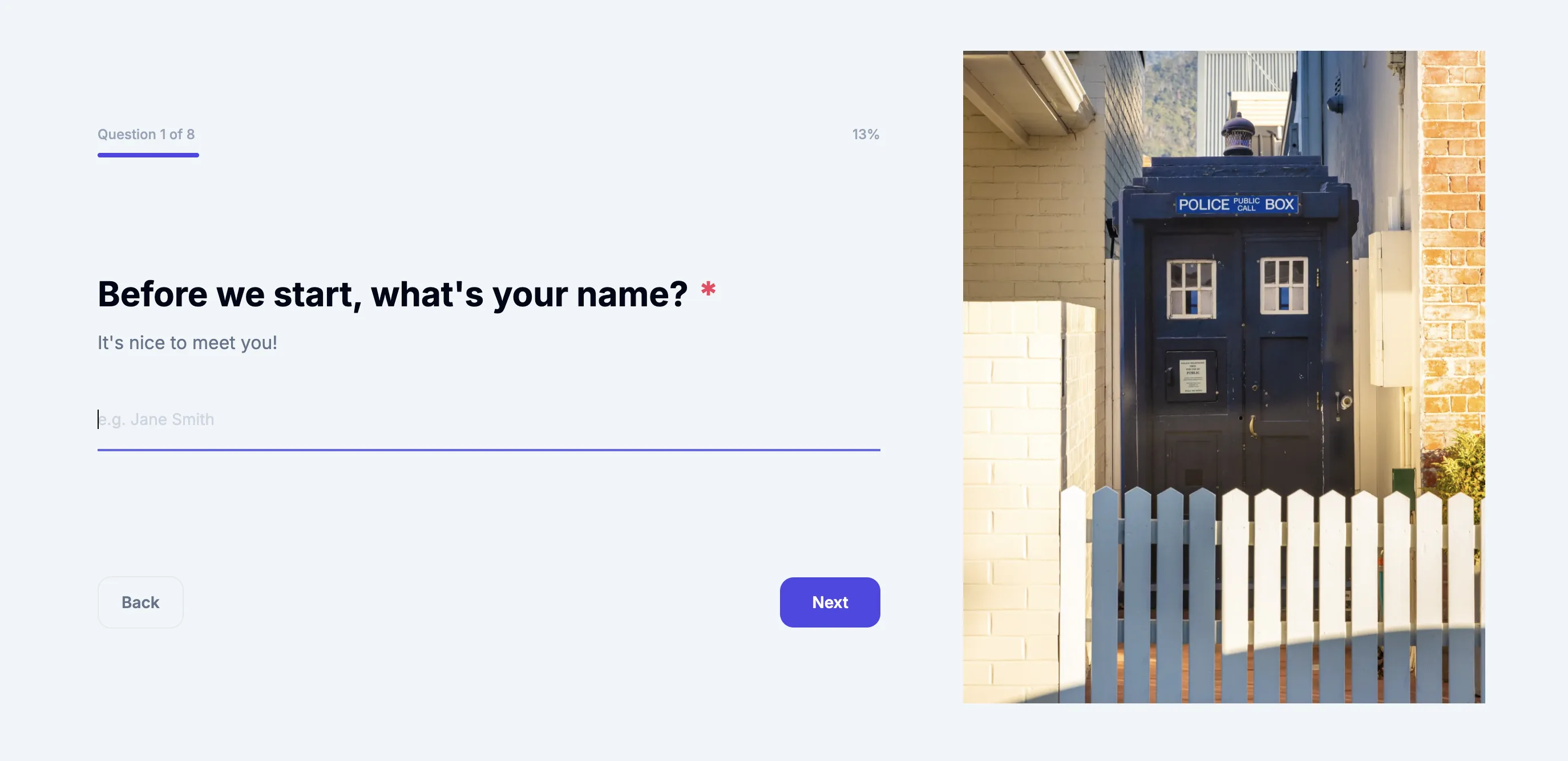
| "Enter name:" | "Before we start, what's your name?" |
| "Select feedback option." | "How did we do today?" |
| "Email address (required)" | "Where should we send your results?" |
| "Submit" | "Send my response" |
| "Error: invalid input" | "That doesn't look right - want to try again?" |
| "Form submitted." | "You're all done - thanks so much!" |
The information being collected is identical in every pair. But the experience is entirely different.
Why Conversational Wording Improves Completion Rates
This isn't just a feel-good principle. The link between question wording and form performance is well established across UX research, survey science, and conversion optimisation.
People respond better when they feel asked, not interrogated. Survey science research consistently shows that the way a question is worded shapes not just whether people answer it, but how honestly and thoughtfully they answer it. A question that sounds clinical or impersonal creates mental distance; a question that sounds warm and direct invites engagement.
Starting with an easy, friendly question boosts completion. SurveyMonkey's analysis of millions of surveys found that forms opening with a simple, multiple-choice question had an average completion rate of 89%, compared to 83% for forms that opened with an open-ended question. But even within multiple-choice formats, the wording of the opening question sets the emotional tone for everything that follows.
Cognitive load matters. When a question is ambiguous, jargon-heavy, or clinical, respondents spend mental energy decoding it before they can even answer it. That friction adds up. Each time a respondent has to pause and re-read, the probability of abandonment rises. Conversational copy removes that friction by front-loading clarity in human language.
Personalisation drives momentum. When a form uses the respondent's name in subsequent questions - something enabled by capturing it early in the flow - it creates a personalised experience that feels far more engaging. Typeform's own data confirms that personalised, "recall" features that address respondents by name are among the most effective tools for sustaining completion across multi-step forms.
The Seven Principles of Conversational Form Copy
1. Write like you'd speak to a new colleague
Imagine meeting someone at a professional event and needing to learn the same information your form asks for. You'd never say "Please indicate your primary area of operational responsibility." You'd say "What do you do?" or "What's your role?"
Write your form questions the way you'd say them out loud in a relaxed, professional context. If you'd feel strange saying it in person, rewrite it.
2. Use "you" more than "please provide"
Formal form copy tends to use passive, impersonal constructions: "Name is required," "Email address must be entered." Conversational copy speaks directly to the reader using "you" and "your".
Compare:
- "Full name (required)" becomes "What's your full name?"
- "Phone number must be provided" becomes "What's the best number to reach you?"
- "Reason for contact must be selected" becomes "What can we help you with today?"
The second version in each pair acknowledges that there is a person on the other side.
3. Use contractions
Contractions are one of the fastest ways to shift copy from formal to human. "We're glad you're here" reads completely differently from "We are pleased you are here." Both are grammatically correct. Only one sounds like a person.
Don't be afraid of: we're, you're, it's, don't, haven't, let's, here's, what's.
4. Make your CTA buttons do real work
The submit button is the most overlooked piece of copy in most forms. "Submit" is a missed opportunity every time it appears. Your final CTA should tell the respondent exactly what happens when they click it, in language that matches the form's purpose:
- "Send my feedback" (not "Submit")
- "Register my spot" (not "Submit")
- "Start my free trial" (not "Submit")
- "Send my enquiry" (not "Submit")
The same applies to the button on your welcome screen. "Continue" is fine, but "Let's get started" or "Start the survey" gives the respondent a clearer sense of what they're committing to.
5. Add transition phrases to build momentum
One of the most underused tools in form copy is the transitional micro-line - a short phrase between questions that acknowledges the previous answer and frames what comes next. These phrases are common in spoken conversation ("Great, and what about...?", "Thanks - one more thing...") but almost absent from online forms.
Examples:
- After a name question: "Nice to meet you, [Name]! Now..."
- Before a harder question: "Almost there - this last one helps us a lot."
- After a positive response: "That's great to hear!"
Even one or two of these across a five-step form can make the experience feel dramatically more human.
6. Explain the "why" briefly when it matters
Some questions feel intrusive without context - especially email addresses, phone numbers, or anything that seems tangential to the form's stated purpose. A brief explanation next to or above the question removes the friction.
For example:
- "What's your email address?" becomes "Where should we send your results? (We'll never spam you.)"
- "Phone number" becomes "Best number to reach you if we have any questions"
Research from the Baymard Institute found that 9% of users abandon forms due to confusing or unexplained input fields. A single phrase of context can recover a meaningful portion of that drop-off.
7. Write a confirmation screen that closes the loop
The final screen is the last impression your form leaves. "Form submitted." is technically accurate and completely forgettable. A warm, human confirmation screen signals that a real person is on the other side.
Better alternatives:
- "You're all done - thank you so much, [Name]!"
- "Got it! We'll review your response and be in touch within 24 hours."
- "Thanks for registering. We'll see you on [event date]!"
- "Your feedback means a lot. Here's what happens next: [brief outline]."
If the form captured the respondent's name in the first question, using it on the confirmation screen is a low-effort personalisation that leaves a genuinely warm impression.
Common Wording Mistakes That Kill Completion
It helps to understand what makes form copy fail, not just what makes it succeed. Some of the most common errors from survey UX research:
The double-barrelled question asks two things in one and makes it impossible to answer accurately. "How satisfied were you with the event's content and organisation?" is really two questions. Ask them separately.
The leading question bakes an assumption or positive spin into the wording. "How much did you enjoy our service?" assumes enjoyment. "How would you describe your experience with our service?" is neutral and more trustworthy.
The ambiguous question is so broad that different respondents interpret it completely differently. "How do you feel about the process?" could mean the checkout process, the approval process, or the entire customer journey. Be specific.
The jargon question uses terminology that is clear to your team but opaque to your respondents. Forms that serve a general audience should write at a clear, accessible reading level - research suggests that average adult reading comprehension sits around a 6th to 7th-grade level.
The cold opening throws a heavy or sensitive question at the respondent before they've built any momentum. Start with an easy question - even just a name - and save sensitive or complex questions for later in the flow, once the respondent has invested effort and built trust.
A Practical Before-and-After: Five Questions Rewritten
Here's how a generic five-question feedback form transforms with conversational copy:
| Step | Generic version | Conversational version |
|---|---|---|
| Welcome | "Please complete the following form." | "This takes about 60 seconds. We'd love to know what you thought." |
| Q1 | "Full name (required)" | "Before we start - what's your name?" |
| Q2 | "How did you hear about this event? Select one." | "How did you find out about us today?" |
| Q3 | "Overall satisfaction rating" | "How did we do overall?" |
| Q4 | "Additional comments (optional)" | "Anything else you'd like us to know? (Totally optional.)" |
| Q5 | "Email address" | "Last one - where should we send a copy of your results?" |
| Confirmation | "Submission received." | "All done, [Name] - thank you! We'll be in touch." |
The questions haven't changed. The information being collected is identical. But the second version is measurably more engaging because it speaks to the respondent as a person.
Conversational Copy and Australian Audiences
There's one more dimension worth addressing for Australian organisations building forms for local audiences: tone calibration.
Australian communication culture tends to value directness, warmth, and a low tolerance for corporate-speak. Overly formal language - or language that feels lifted from a US or UK corporate template - can land as cold or impersonal with Australian respondents. A conversational, plain-language approach is not just good UX practice in general; it's a particularly strong fit for Australian audiences who respond well to genuine, straightforward communication.
This is one reason why the combination of conversational form UX and conversational form copy is such a powerful pairing. The one-at-a-time layout gets people started. The warm, human question wording keeps them going. Together, they create the experience of a real exchange rather than a form-filling obligation.
Writing Better Forms Starts Today
Every form you publish is a small conversation with your audience. The words you choose in that conversation shape whether people complete it, how honestly they respond, and what impression they take away about your organisation.
The good news is that improving your form copy doesn't require a copywriter or a redesign. It requires a willingness to read each question aloud, ask yourself whether you'd say it that way to a real person, and rewrite the ones that sound like a form rather than a conversation.
Start with your welcome screen. Then your first question. Then your confirmation message. Three small changes can transform a generic form into something people actually want to complete.
SurveyForm.com.au is an Australian-built conversational form platform offering one-question-at-a-time forms with Australian data hosting. Build better forms at surveyform.com.au.
Create your first form